Local newspaper archives: step-by-step digital search guide
The bottleneck in local newspaper research is rarely the lack of pages. It is the search layer built on top of them.
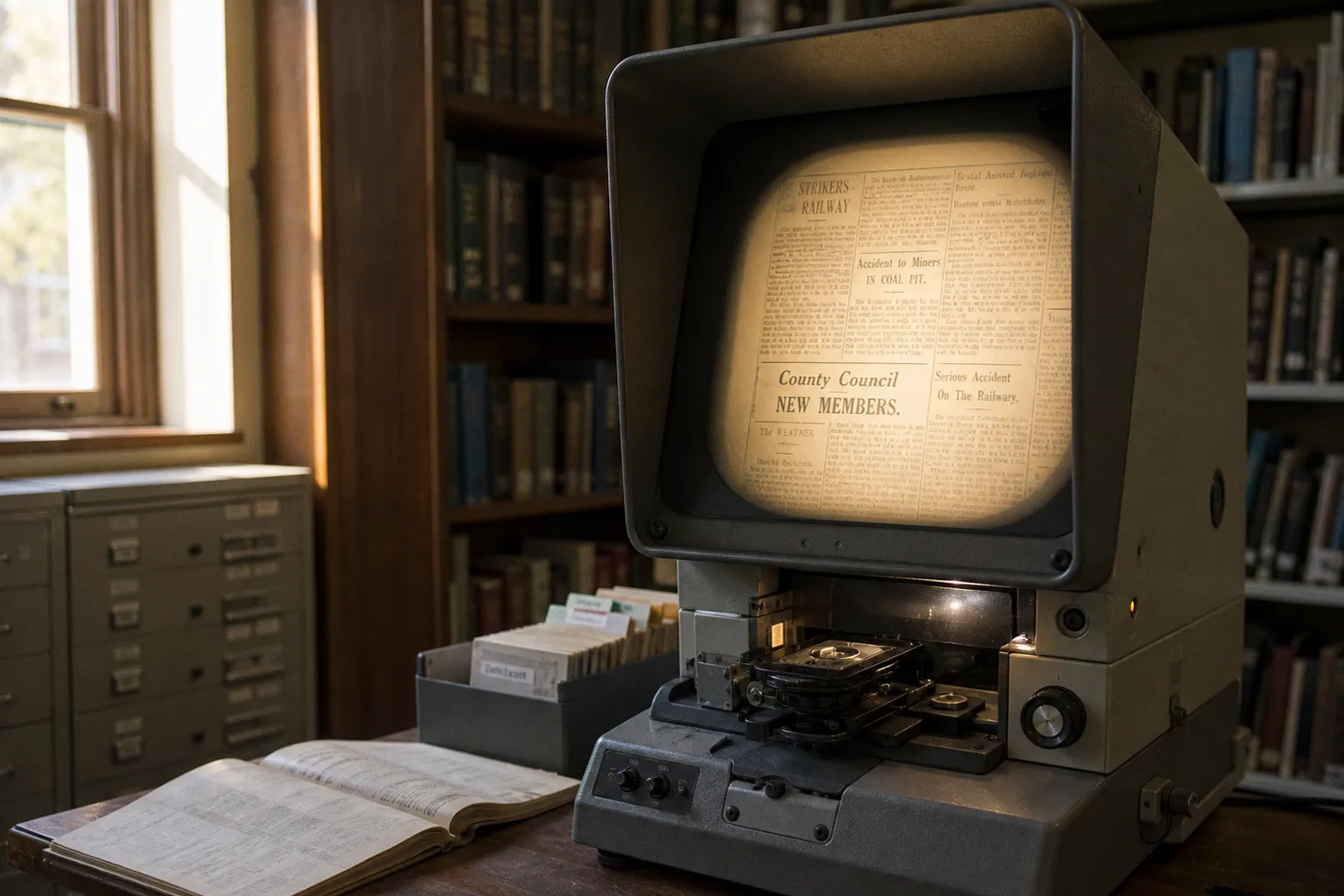
A regional title may have been scanned, indexed, and placed behind a polished archive interface—yet the obituary, council notice, court report, or business advertisement you need remains effectively invisible because OCR misread one letter.
That is the operational reality of local newspaper archives. Scanned pages become searchable only after optical character recognition translates image into text, and historical OCR is not a clean data pipeline. In some databases, single-word searches carry an average error rate of 18%. Faded ink, broken type, narrow columns, bleed-through, and nineteenth-century fonts all degrade the index.
The fix is not to type the same name into five search boxes and hope a different platform has better luck. It is to work in stages: identify the right title, confirm the date coverage, use search syntax that matches the archive’s indexing model, then switch back to the page replica when the text layer fails. That is how publishers’ legacy print assets become usable research systems rather than expensive image warehouses.
Start with the publication, not the person or event
Researchers often begin with a surname, an address, or a family story. That feels efficient, but it is backwards. Local news was never published into one universal database. It was distributed through hundreds of titles with changing names, ownership groups, editions, and coverage boundaries.
Before searching historical local newspapers online, build a basic publication target:
- Place: town, parish, county, district, or neighboring commercial center. Small communities were often covered by a newspaper published elsewhere.
- Time window: begin wide if necessary. A report about an 1894 event may appear in the following week’s paper, an anniversary recap decades later, or a legal notice before the event itself.
- Likely title type: weekly local paper, county paper, evening edition, agricultural circular, ethnic-language paper, or trade publication.
- Edition logic: morning and evening newspapers could cover the same town differently. A late edition may carry the result; an earlier edition may carry the setup.
- Title changes: mergers and renamed mastheads are normal. A paper’s archive may be split across separate records even where the publisher treated it as one continuing operation.
WorldCat is useful at this stage because it can reveal which titles existed in a particular area and period, including records held on microfilm. Its advanced search can be narrowed to newspapers with mt: new and then filtered by format. This is not just a library-catalog detour. It is a coverage audit.
If a search platform returns nothing, the first question is not “Did the archive miss it?” The first question is “Was this newspaper published, and does this platform hold that run?” Those are materially different failures.
A zero-result search does not prove the story was never printed. It often proves that the wrong title, date range, or text layer was queried.
Build a title-and-coverage worksheet
A compact research log prevents the usual archive drift: opening tabs, repeating searches, and losing track of which years have actually been checked.
| Field | What to record | Why it matters |
|---|---|---|
| Newspaper title | Exact masthead name and known variants | Archives frequently split predecessor and successor titles |
| Place of publication | Town and county, not just the modern postal label | Geographic metadata can be inconsistent |
| Publication frequency | Daily, weekly, evening, Sunday | Determines likely reporting lag and issue count |
| Date coverage | First and last available issue in each archive | Digitized runs are often incomplete |
| Access route | Free portal, library database, paid archive, microfilm | Avoids rerunning the same dead-end search |
| Search terms tested | Names, variants, locations, phrases | Shows whether the index or the query failed |
| Page references | Date, page, column, issue edition | Lets another researcher verify the replica |
Treat this as basic archive workflow, not bureaucracy. Digital newspaper platforms are built from fragmented ingestion projects, licensing agreements, and legacy catalog metadata. The interface may look unified. The underlying holdings are not.
Use OCR as a lead generator, not as the source of record
OCR is a retrieval tool. The newspaper page is the record.
That distinction matters most in regional newspaper digital archives, where a title may have been digitized from brittle originals or microfilm reels with uneven exposure. A clean-looking PDF or page viewer can still sit on top of an unreliable text index. The visual replica and the reflowable search text are separate layers with separate failure modes.
A name might be printed correctly on page 3 but indexed as something else entirely. Columns can merge. Decorative rules can be read as letters. A smudged “e” can become “c”; a long historical “s” may be interpreted as “f.” In older English-language material, Congress can appear in OCR output as Congrefs. That is not a historical spelling choice. It is a machine reading problem.
Use this sequence instead of relying on a single exact query:
1. Search the cleanest distinctive term first.
Start with a street name, business name, ship name, organization, or unusual occupation. Common surnames are weak anchors. “John Smith” produces noise; “Hawthorn Foundry” may expose the relevant issue immediately.
2. Run a surname without the first name.
Initials were common in local reporting, and typesetters abbreviated aggressively. Search Morrison, then review nearby hits for J., James, Mrs., or a spouse’s name.
3. Search the event vocabulary.
If the target is a death, do not search only obituary. Try funeral, interment, inquest, late resident, bereaved, deceased, or the name of a cemetery. Local reporting had its own repetitive formulas.
4. Search the location in isolation.
A village, farm, pub, school, church, or street can be more reliably indexed than a personal name. Once you find the right issue, page-level browsing is faster than more keyword experimentation.
5. Open the scanned page for every promising hit.
Read the surrounding columns. OCR snippets are not evidence, and they routinely omit adjoining names, captions, or continuation notices.
The Library of Congress’s Chronicling America is an instructive model of what a public archive can do well: it provides free access to selected historic U.S. newspaper pages published through 1963. But “free access” should not be confused with “complete local coverage.” Its collection is substantial, not universal. A missing county title may exist in a state library, on microfilm, or in a commercial database instead.
Search with proximity, wildcards, and deliberate variation
Most archive users work at the interface level: one phrase, one filter, one result page. That is adequate for a recent, cleanly born-digital article. It is not adequate for an archive built from historical page images.
The better approach is to treat the search box as a query system. Syntax varies across platforms, so check the archive’s own search help before assuming that an operator transfers perfectly. But the core tactics are consistent.
Use phrase search when the wording is stable
Quotation marks are useful for fixed expressions, business names, and addresses:
"St Mary’s Church""railway disaster""in memoriam""Oakfield House"
Phrase search reduces noise, but it is brittle. If one word is misread by OCR or separated by a line break, the query can fail completely. Use it to test a likely phrase—not as the only method.
Use proximity search for names and events
Proximity search is more forgiving because it allows words to appear near one another rather than in an exact sequence. In the British Newspaper Archive, for example, "railway disaster"~7 searches for those two words within seven words of each other.
That is operationally valuable for local reporting. A journalist may write “the disaster on the railway near…” rather than “railway disaster.” A typesetter may split words across lines. A proximity search keeps the relationship while relaxing the layout assumptions.
Useful pairings include:
- surname + village name;
- business name + proprietor surname;
- street name +
auction; - parish name +
inquest; - school name +
prize; - regiment name +
killed; - ship name + port.
Start with a tight distance where the platform supports it, then widen the range if the result set is empty. The point is not to produce maximum hits. It is to identify pages where two independent signals occur in the same reporting unit.
Use wildcards to compensate for weak text recognition
Wildcards are a simple but underused answer to OCR defects and spelling variation:
- A question mark can stand in for one unknown character:
wom?nmay find bothwomanandwomen. - An asterisk can match several characters:
rail*may retrieverailway,railroad, or related word forms, depending on the platform’s rules.
They are especially useful when a surname has several plausible readings. If the printed name might be Barker, Barker with a damaged letter, or a local variant such as Barker/Berker, test the stable root rather than insisting on a complete string.
Do not overuse broad truncation. A search like mar* in a large metropolitan archive creates a garbage queue: marriage, market, March, maritime, Mary, and every OCR accident that starts the same way. Add a place, date filter, or second term.
Search historical spellings and OCR ghosts
Historical spelling is not a side issue. It is a retrieval requirement.
A place name may have older forms. A surname may be reported phonetically. A foreign-language name may be Anglicized in one issue and rendered differently in the next. Then there is the OCR layer, which creates its own false vocabulary.
For older material, test:
sandfconfusion, particularly where a long s appears in the original type;rnread asm, andclread asd;i,l, and1substitutions;- dropped punctuation in initials;
- hyphenated words split at line ends;
- older place-name and street-name forms;
- abbreviated honorifics and occupational labels.
If a newspaper page is visibly legible but no text search finds a word you can plainly see, stop refining the query. The page was indexed poorly. Move to date browsing, neighboring issues, or a different digitization source.
Search syntax improves recall. Page replicas establish what was actually printed.
Get premium archive access through the library system
Subscription archives are often the most efficient route to searching local news back issues, but paying retail is not automatically the smart route. Public libraries, university libraries, state libraries, and local history centers commonly license access to paid newspaper databases for their members.
The catch is that access policy is local and contractual. One library may allow remote login with a library card; another may restrict the same database to its building network. A service available at a county library may not be available through a city branch. The publisher’s archive interface does not explain any of that.
Work the access layer methodically:
1. Check the library’s digital resources page.
Search under newspapers, genealogy, local history, research databases, or e-resources. Do not rely only on the general catalog.
2. Look for the access condition.
The critical language is usually “remote access,” “in-library use only,” “available to cardholders,” or “available on library computers.” That determines whether the archive is a home-research tool or an onsite visit.
3. Authenticate through the library portal first.
Premium databases frequently use proxy authentication. Opening the vendor site directly can make it appear that access is unavailable even when the library has an active license.
4. Ask for the title, not merely the platform.
Library staff can often confirm whether a specific regional paper is included, whether the run is complete, and whether scans are searchable or browse-only.
5. Record the database name and coverage date.
Archive vendors change packages. A title available this year may be removed at renewal, and coverage can differ between branches.
This is where the business mechanics behind “digital access” become visible. A publisher may own a historical archive, a vendor may host the scans, and a library consortium may license only selected titles and date ranges. There is no universal entitlement layer.
For a researcher, the practical implication is simple: library credentials can unlock excellent archival infrastructure, but they do not eliminate the need to verify holdings.
Find the archive that actually owns the region
A local newspaper title can surface through several channels: a national digitization project, a state archive, a public library, a university collection, a commercial platform, or a publisher’s own back-issue system. Each one may cover different years.
The German Newspaper Portal is a useful example of centralized aggregation done at national scale. It provides access to historical newspaper material published from 1671 to 1950. That makes discovery more efficient, but it does not turn every regional run into a complete, perfectly searchable sequence. Central portals improve the front door; they do not erase gaps in preservation or digitization.
Use a layered discovery order:
1. National and state digital collections
These are often the strongest source for public-domain material and locally significant titles. They may provide free local newspaper archives, high-resolution page images, and stable issue browsing. Their limitation is uneven coverage. Digitization priorities follow grants, holdings, condition, and institutional capacity—not the researcher’s family tree.
For U.S. material, search Chronicling America alongside relevant state library and state historical society collections. For other countries, look for national library portals, regional archives, and county-level heritage projects.
2. University and local-history collections
Universities frequently hold titles that commercial products overlook: student papers, community weeklies, labor papers, immigrant press, and short-lived local publications. The metadata can be less polished, but the content is often unique.
Search by town and newspaper title, then add terms such as digital collection, special collections, newspaper archive, or microfilm. The result may be a browse-only viewer rather than a full-text search engine. That is still a lead.
3. Publisher-operated archives
Current publishers may maintain searchable recent editions, replica PDFs, or paid back-issue products. These are particularly relevant for twentieth- and twenty-first-century local news. But publisher infrastructure is frequently shaped by CMS migrations, paywall changes, and vendor turnover. A “search archive” may cover web articles but exclude the print replica; a digital edition may include pages but not text search.
Check whether the archive provides:
- issue-level replica pages;
- downloadable PDF editions;
- article-level reflowable text;
- date-based browsing;
- separate regional editions;
- a stated start date for the archive.
A publisher’s article archive and its newspaper replica archive are not interchangeable products.
4. Microfilm and physical holdings
This is the fallback that is not really a fallback. For many local titles, microfilm remains the only complete record. It is slower and less convenient, but it can be decisive when online coverage stops during exactly the years that matter.
Use WorldCat and local library catalogs to identify holding institutions before travelling or requesting an interlibrary loan. Confirm the reel dates. “Newspaper available on microfilm” tells you almost nothing until the run is specified.
Work around incomplete runs and missing issues
Digitized newspapers create a false sense of continuity. A calendar viewer with hundreds of issues encourages the assumption that every week is present. Often it is not. Gaps can result from missing originals, damaged microfilm, failed scanning, rights restrictions, or a platform migration that left old files behind.
When a crucial issue is absent, do not simply widen the keyword search. Change the evidence path.
A disciplined recovery sequence looks like this:
1. Check the issue before and after.
Weekly papers commonly carried follow-ups, corrections, legal notices, and letters that repeat core facts.
2. Search competing local titles.
Neighboring towns republished reports, sometimes with more detail. Rival newspapers also covered court, politics, transport, and disasters differently.
3. Search later anniversary coverage.
Local papers are fond of ten-, twenty-five-, and fifty-year retrospectives. These can identify dates, witnesses, and locations that make the original issue easier to find.
4. Check national or regional titles for a local event.
Major accidents, criminal trials, civic disputes, and military casualties often moved outward through wire services or correspondent networks.
5. Locate the microfilm run.
If the digital archive has a hole, another institution’s film may preserve the missing issue.
6. Use secondary records to refine the date.
Civil registration, probate calendars, electoral lists, cemetery records, school registers, and directories are not substitutes for the newspaper—but they narrow the issue range.
This is where many searches become unnecessarily expensive. Users keep renewing database subscriptions while querying a dataset that simply does not contain the needed page. Archive work improves sharply once absence is treated as a coverage problem, not a personal search failure.
Read the issue as a publication system
Once you locate a relevant hit, do not stop at the clipped article. Local newspapers were assembled through predictable editorial and advertising workflows. Understanding those workflows tells you where more evidence is likely to sit.
A death notice may appear in the classified pages, while the funeral report appears in the local column one or two issues later. A business insolvency may begin as a court item and later reappear as an auction advertisement. A marriage announcement may be printed under social news, then echoed in a parish report. The same person can surface through multiple modules because newspaper pagination separated content by function.
Browse these zones deliberately:
- local district or “our correspondents” columns;
- births, marriages, and deaths;
- court reports;
- public notices and auction listings;
- shipping and railway columns;
- school, church, and club reports;
- letters to the editor;
- advertisements surrounding a business or address;
- annual supplements and retrospective editions.
The page image matters here. Reflowable text is efficient for search, but it strips away column adjacency, typography, section cues, and display advertising. The replica preserves the editorial architecture of the issue.
For genealogical work, that architecture can be the difference between a name and a usable record. A short death notice may identify only a surname. A neighboring report from a lodge, church, employer, or school may supply the relationship, occupation, residence, and social network.
The durable method: query broadly, verify narrowly
Local newspaper archives reward skepticism. The marketing promise is frictionless discovery: millions of pages, instant search, decades of local history at a keystroke. The operational product is more complicated. It is a mix of scanned images, incomplete title runs, inconsistent metadata, fragile OCR, access restrictions, and platform-specific search rules.
That does not make the archives weak. It makes them archives.
The effective workflow is repeatable: identify the publication landscape first; verify the dates held by each platform; search with variants, proximity logic, and wildcards; use library authentication where available; and return to the original page before treating any result as fact. When the index fails, browse the issue. When the issue is missing, trace the title through catalogs and microfilm holdings.
The long-term issue for publishers and archive vendors is not merely putting more pages online. It is preserving the connection between title metadata, regional editions, page replicas, and trustworthy search. Without that infrastructure, digitization creates inventory. With it, local journalism becomes a working historical record.